
NASA Ames Research Center · Human-Computer Interaction Internship · 2022
Improving Constraint Clarity in NASA Playbook
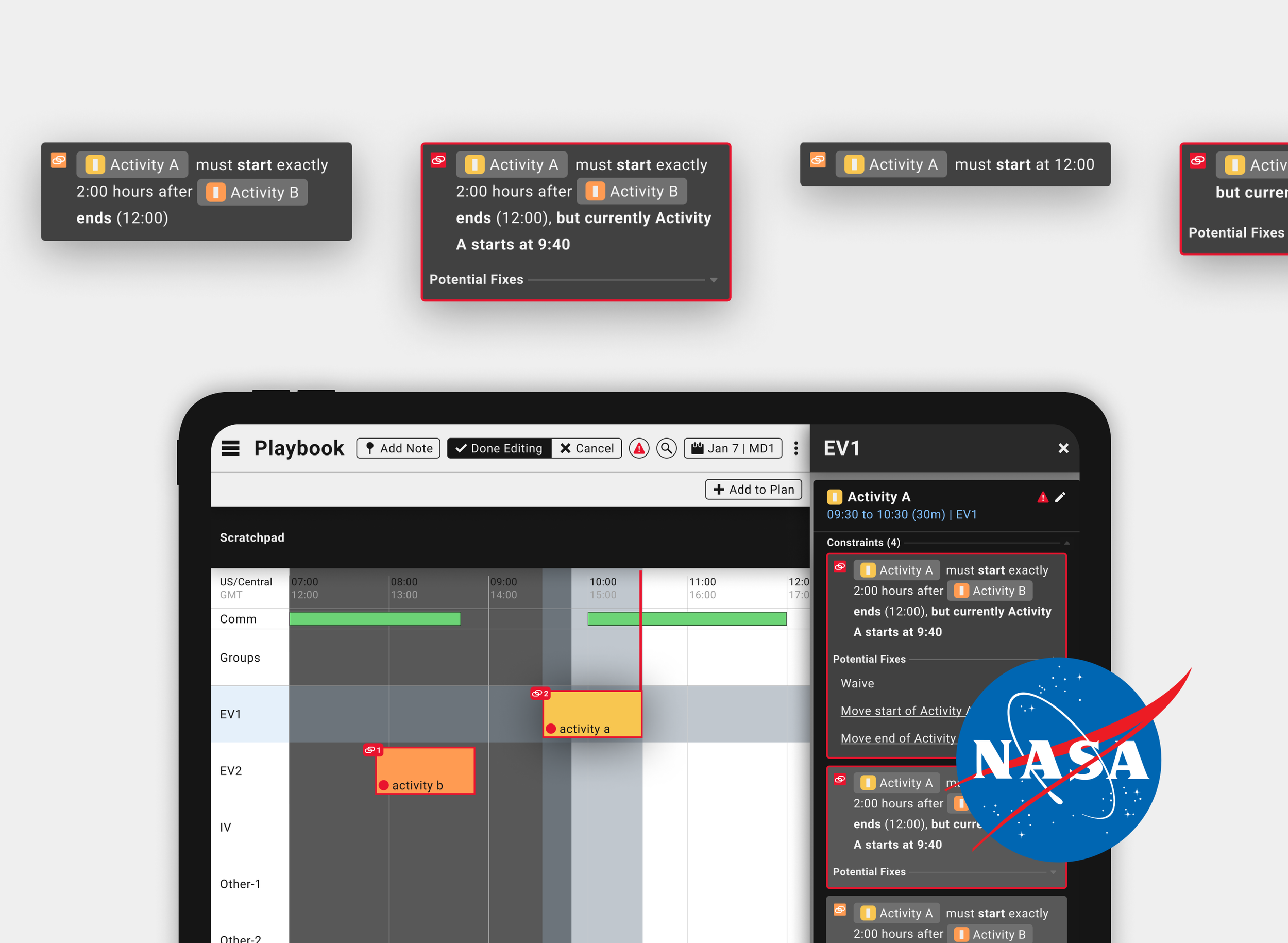
NASA’s human-centered mission scheduling tool Playbook could detect when a scheduling rule broke, but not explain why. I redesigned how the system communicates conflicts: turning cryptic violations into guidance mission planners could act on in seconds, not minutes.
ROLE
Human-Computer Interaction Intern
TIMELINE
Jan - March 2022
TEAM
SPIFe, NASA Ames Research Center
FOCUS
Interaction, content, visual systems
Designed for places where the interface has to work
Playbook runs real operations aboard the International Space Station and in NEEMO undersea analog missions: environments where a violation a planner can’t quickly parse is more than an inconvenience.
Mission planning, in orbit
Tested beneath the surface
Images courtesy of NASA.
THE PROBLEMThe system said “no.” It never said why.
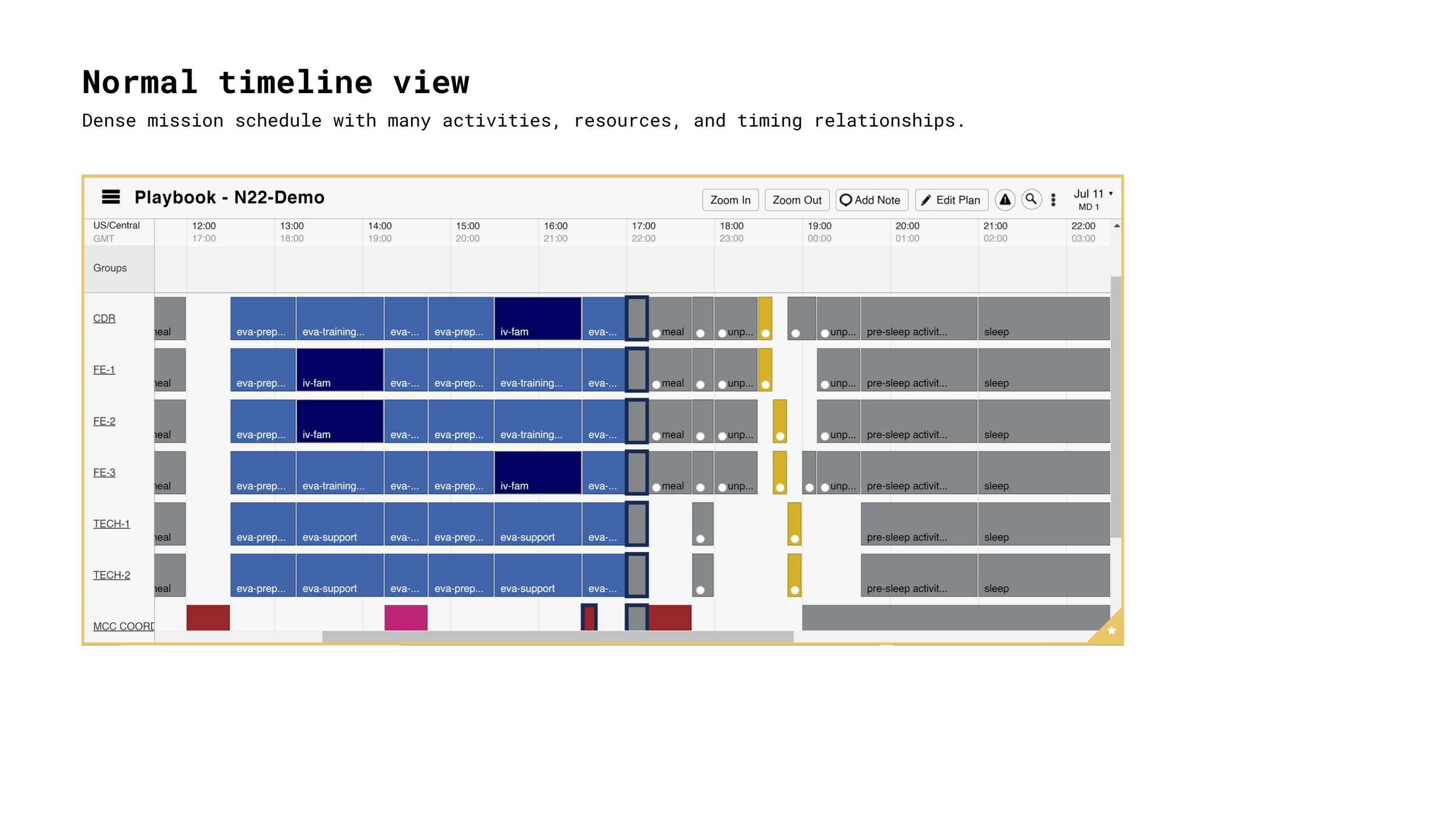
Playbook is NASA’s mission-scheduling tool for building and managing complex operational timelines.
Those schedules are governed by 14+ types of constraints: rules about timing, dependencies, resources, and sequencing that determine what can happen, when, and in what order. A violation happens when the current schedule breaks one of those constraints.
Playbook could already detect violations. The problem was explaining them. It often wasn’t clear which rule had failed, what schedule state caused the conflict, or where the planner should look next. Before making a change, users first had to reconstruct the system’s logic themselves.
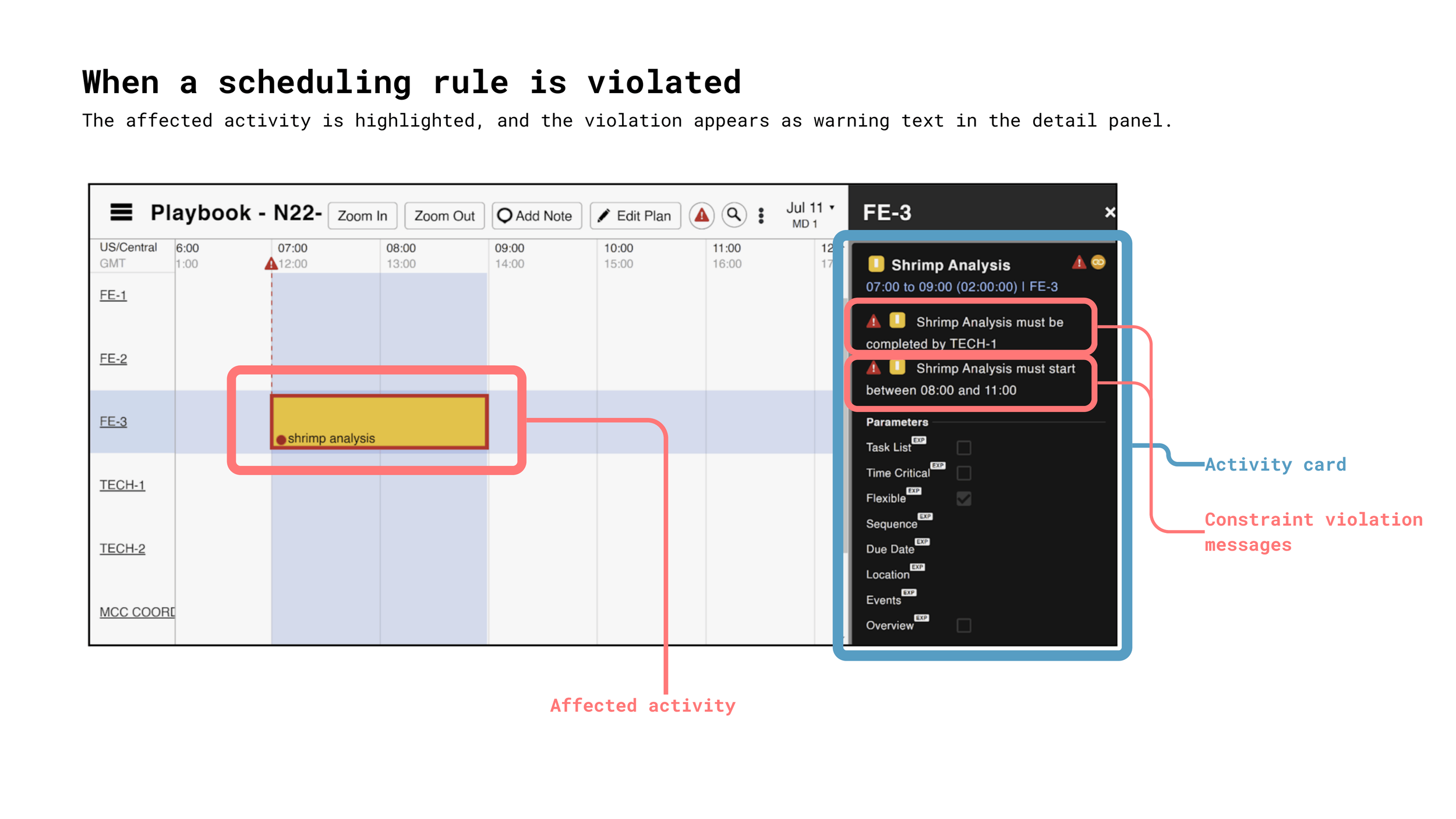
Who was affected
FINDING THE DEEPER ISSUEThe data was already there.
The breakdown wasn’t in detection. It was communication. The research pointed to 2 connected design layers:
THE RESEARCHExploring how the system could explain itself
I explored several ways to present a violation: a shorter technical alert, a conversational explanation, a structured rule-and-state message, inline disclosure within an activity, and a reusable relational card. The key tradeoff was brevity versus enough context to support action.
The selected direction combined structured language with progressive disclosure. It gave users the rule and immediate cause first, while keeping related activities, resources, and deeper system detail available when needed.
Synthesizing the interviews
Pain points, desires, and quotes sorted against resolving violations, constraint clarity, and message tone, all funneled into a set of How-Might-We directions.
Testing the wording
For each constraint type, several phrasings of the rule and its violation were drafted side by side, then converged into one reusable pattern.
Designing the language
Making both the constraint and the violation easier to understand
1. Clarifying the constraint
Turning system-oriented rule language into a direct statement of what should happen.
2. Clarifying the violation
Keeping the rule intact, then adding what the schedule is doing instead.
Reusable message formula
Activity A must start before 10:00
+but currently it starts at 11:00
Activity A must end exactly when Activity B starts (13:15)
+but currently Activity A ends at 11:00
Designing the system
Turning constraints from scattered warning messages into reusable interface objects across the workflow
1. From warning messages to constraint objects
Giving each constraint one consistent visual structure instead of burying it in scattered error text
2. The same constraint, wherever it’s needed
Reusing the same constraint component across workflows reduces context switching for users while also reducing duplicate development and long-term maintenance cost.
Two ways into resolution
The new design supported two different working modes rather than forcing every constraint through the same path.
From an activity
A planner inspecting one activity can open its violated constraints and understand the related timeline context without leaving the object they were already working in.
From the violations stream
A planner triaging several issues can scan structured cards, select one violation, and jump into the affected timeline context.
SYSTEM DELIVEREDThe final direction combined a shared message framework with connected interface components.
Together, they gave planners clearer access to the rule, the affected activities, and the relevant timeline context while creating a structure that could extend to additional constraint types.
14
constraint types unified under one message system
3
connected surfaces: card, activity, and stream
1
reusable system built to scale to new rules
Playbook already knew what was wrong. The job was making that knowledge legible.

OUTCOMEParts of the work continued beyond the internship and into the product
The revised constraint language, icons, and design-system rules stayed in Playbook, which later supported NASA’s Commercial Lunar Payload Services missions as part of the broader Artemis campaign.
REFLECTIONComplex systems become usable when their logic becomes legible
With more time, I would validate the message structure across the full range of constraint types, test whether the hierarchy holds under dense real-world schedules, and explore predictive, constraint-aware guidance: carefully enough that it supports planner judgment rather than replacing it.
P.S. one more thing
Bonus content:
NASA concept art
A little something I drew for the mission, off the clock. Fair warning, it’s very cute.
✦ Take a peek